


1. New and Updated Features
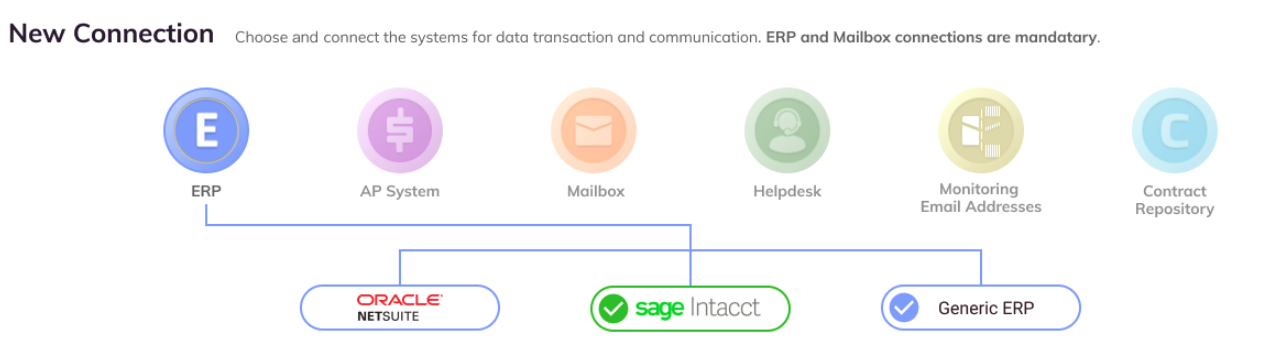
ERP Integration: Generic ERP option enabled for SmartCollections [5967]
When integrating Auditoria and your ERP, a new generic ERP connection has been created to add SFTP capability to the Auditoria ERP so that customers with on-premise ERP management can communicate and manage their data. For more information on this ERP connection option, ask your Customer Service Representative.
SmartCollections: Dunning cap logic update [9659]
During the SmartCollections flow, the Auditoria dunning cap logic has been expanded to accommodate the alternate collections strategy of only sending dunning notices out based on the oldest invoice age for that customer, without taking into account the age of any younger invoices. For customers with this collections strategy, ask your Customer Success Representative how to configure this option for SmartCollections.
Vendor Invoice Data Extraction SmartFlow: Blanket POs enabled [9194]
During the Vendor Invoice Data Extraction SmartFlow, Auditoria compares the line item description to the PO line description and, if the PO is one line item, matches all the invoices to the PO line (Blanket PO).
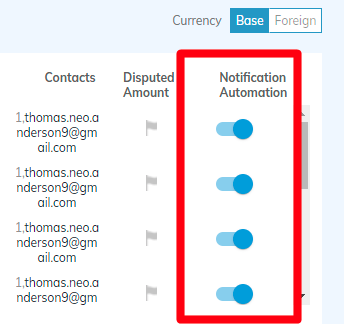
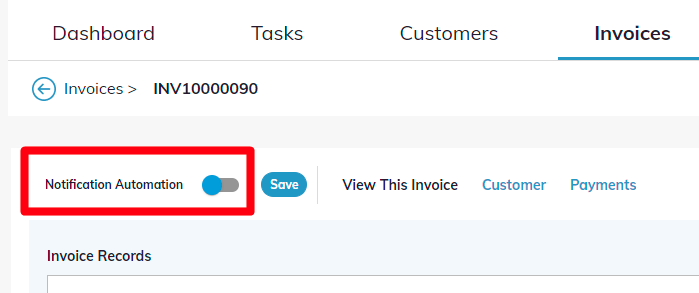
The Notification Automation toggle now appears in the details section of each specific invoice.
SmartGL: GL Audit role added [8299]
For the SmartGL process, the GL Audit role has been created and added to Auditoria's list of roles and permissions. For more information, see Auditoria Roles and Permissions.
SmartGL: Manual input of draft journal entries [6536]
For the SmartGL process, the GL Accountant can create a manual entry for an accrual group that does not have vendors in the Open PO or Open PR Report. Both suppliers that are in accrual groups currently listed in the Data Management page and suppliers in accrual groups that are not listed can be added during the manual input.
Administration: Password policy strengthened [9632]
Auditoria Password Policy has been updated to conform to the latest NIST cybersecurity standards and best practices. For details on password security requirements and instructions on resetting your password, see Reset Auditoria Password.

2. Fixed Bugs
Resolved: AP Helpdesk: Undefined displayed as value in SmartBot emails [9713]
Resolved: SmartCollections: SmartBot emails for customer slow or not processing [9773]
Resolved: Sage Intacct: Entity entered at connection appears with different name [9772]
Resolved: Vendor Invoice Data Extraction: Invoices not extracted for tenant [9687]
Resolved: SmartGL: Incorrect vendor name in journal entry memo [9760]
Resolved: SmartGL: Write to ERP failure for customer with invalid Company ID error [9757]
Resolved: Invoice Accrual SmartFlow: Vendor estimates not extracted for specific PO [9324]

3. New Known Bugs
Vendor Invoice Data Extraction: Vendor detection and invoice mapping error [9752]
Symptom: When testing the vendor invoice data extraction, an invoice was tagged to a wrong vendor and shown the same in the prioritized worklist.
Impact: Incorrect information received in the prioritized worklist.
Workaround: None.