


1. New and Updated Features
SmartCollections: Console Updates
Auditoria SmartCollections pages were updated with a new Dashboard, navigators for Tasks, Customers, Invoices, Payments, and Disputes. New detailed views, filters, and tagging are also available.
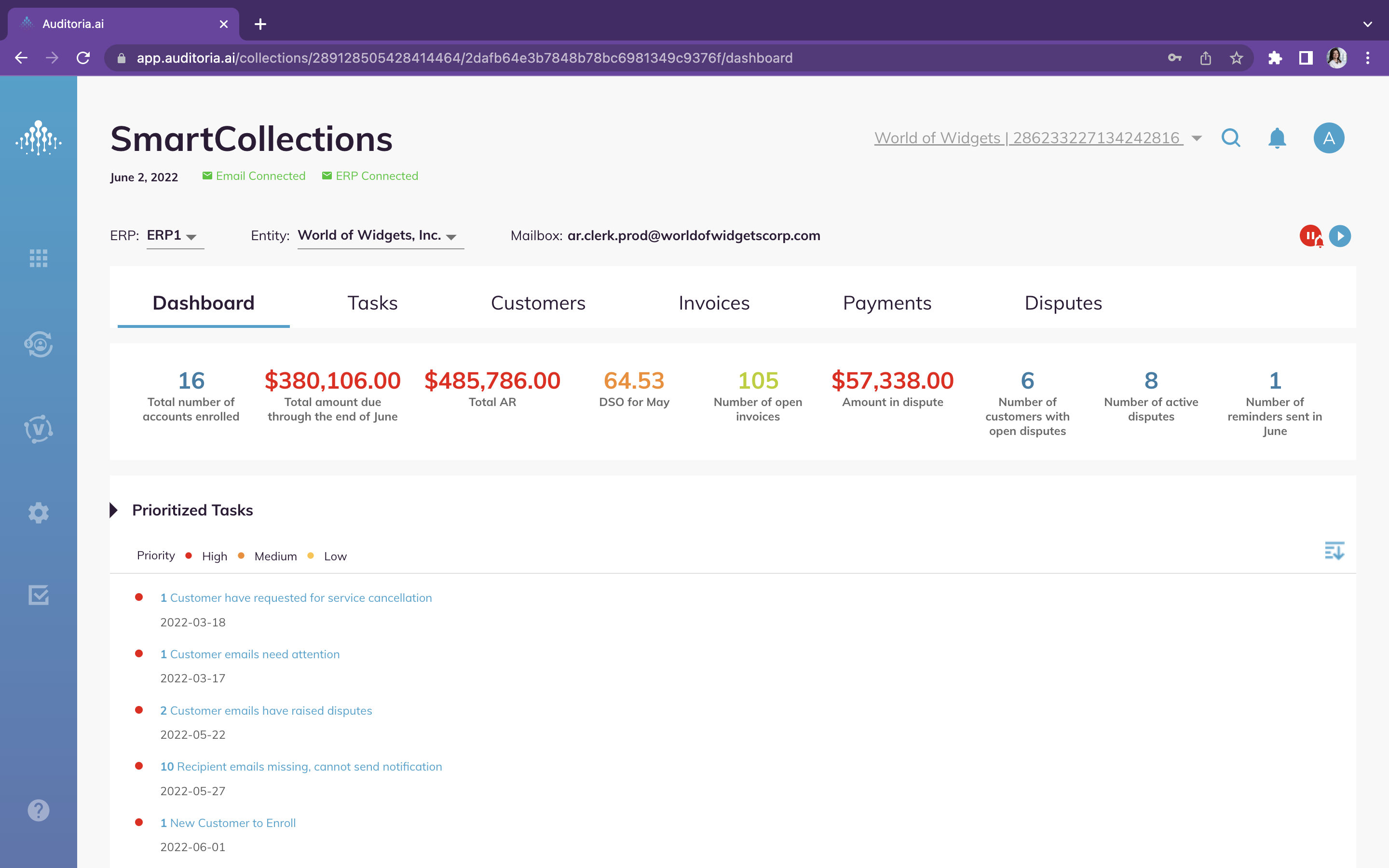
SmartCollections: Invoicing metrics added [8566]
New invoicing metrics for customer invoices have been added to the SmartCollections flow. You can now view the following metrics for customer invoices: Customer Name, Classification, Average Days Past Due, and Days Sales Outstanding. Results can be filtered in the pulldown menus to display All Customers, All Account Managers, or All Classification Groups.
Coupa Integration: Extracted vendor bills can Write to ERP [7986]
The Auditoria integration with Coupa now enables you write back to Coupa the vendor invoices extracted by Auditoria. For more information about Coupa integration with Auditoria, see Coupa Connection Settings.
Workday Integration: Data Mapping Updates [7492+7493+7497]
In the Workday integration with Auditoria, data mapping between Auditoria and the Workday ERP has been enhanced to include payment terms fields, invoice memos, and customer list fields. You can now create tags for additional information on customers and invoices.
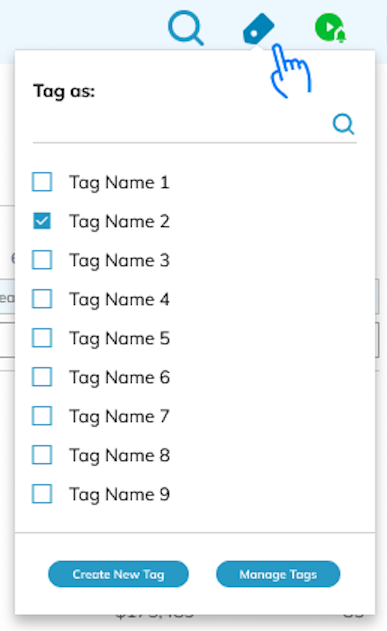
SmartCollections: Tags for customers and invoices [6892]
During the SmartCollections flow, you can now tag customers and invoices with additional information that can later be searched. Tags can be created, attached to a customer or an invoice, removed, and searched for. A customer or invoice can have up to 20 tags. For more information on tags, see Create and Manage Customer Tags.
Auditoria Administration: Email attachment types expanded [7316]
Auditoria now supports the following types of email attachments for accruals. All attachments from suppliers can be viewed and downloaded as an Audit Report in the Data Management page where journal entries are reviewed.
- CSV text files - csv
- Zipped XML-based files - xlsx
- Microsoft Word files - docx
- JPEG image files - jpg
- PNG image files - png
- Microsoft Windows text files - txt
SmartGL: Multi-Company handling, Phase 2 [6866]
Phase 2 of Multi-Company handling enhancements includes the ability to include purchase orders with more than one Company Code. For example, a Header PO is company 35 and the line company is 38. The line level company code is listed in the Open PO Report. The ERP should create a separate journal for every company. There could be as many entries for an accrual group as there are companies for a vendor.
SmartGL: Accruals data Written to ERP maintained [7773]
SmartGL accruals data Written to ERP holds key audit data which is maintained by Auditoria. For more information on how Auditoria maintains data written to ERP, see Auditoria Accrual Data Written to ERP Maintenance.
SmartGL: Vendor email attachments for audit reports saved [8431]
During the SmartGL flow, all email attachments from the vendor for an Audit Report are saved and accessible in the email responses sent by the Auditoria SmartBots.

2. Fixed Bugs
Resolved: Load number not appearing in email template [8411]
Resolved: Some invoice numbers not extracted correctly [8629]

3. New Known Bugs
Vendor Invoice Data Extraction: Record written to ERP twice. [8627]
Symptom: During the Vendor Invoice Data Extraction flow, user can select a record over and over while the Write to ERP process is running. A record should not be available when the Write to ERP process is running.
Impact: Record is written to ERP twice.
Workaround: None.