Access the Tenant Management Page
On this page
- Log in to Auditoria using your Administrator account.
- Select the gear (Settings) icon from the left navigation sidebar.
- In the Administration menu, click Tenant Management. (see Figure 1)
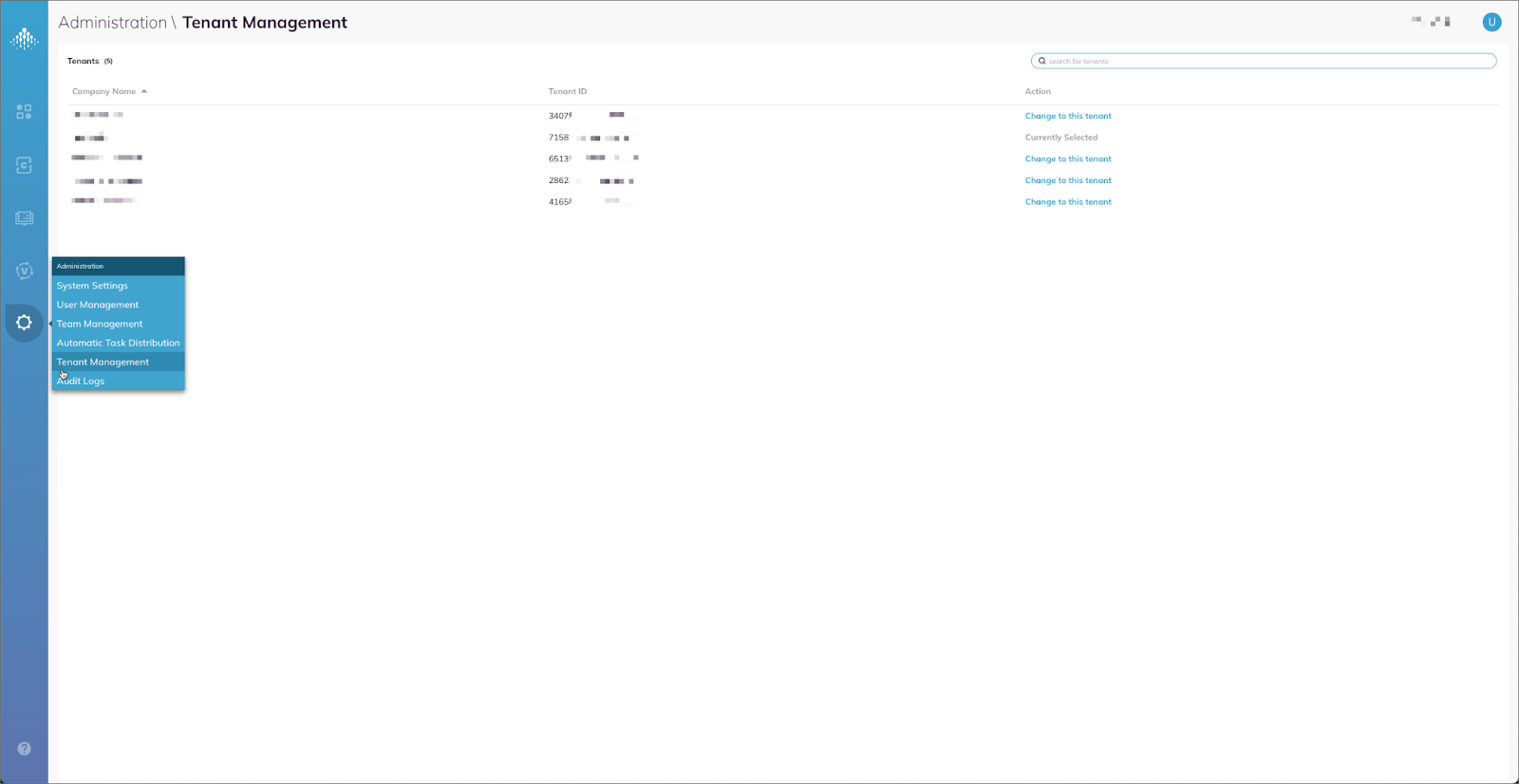
Figure 1. Administration menu with the Tenant Management entry
Rate this content
Rated now
Thanks — we received your feedback.
We couldn't submit that. Please try again.
