


1. New and Updated Features
Vendor Invoice Data Extraction: Only one entity for a mailbox [9574]
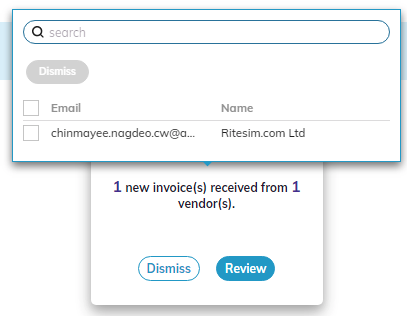
For the Vendor Invoice Data Extraction SmartFlow, only one entity can be associated to a mailbox when you start the SmartFlow. When a vendor is matched to the vendor invoice, the entity or subsidiary associated to that vendor is written to the ERP. If more than one entity is associated to a vendor invoice in the ERP, or if no entity is associated to a vendor, a search window appears enabling you to select the entity to be associated with the vendor invoice.
SmartInsights: Zero-value rows excluded from reports [9514]
In the SmartInsights flow, any row in a report that has a value of zero will be excluded from the report so that only the relevant data is displayed. For example, in the Customer Disputes section of the Data Management page, if a customer has a value of zero for the Amount In Dispute column, and a zero value in the other columns, that customer will be excluded from the report so that only customers with actual values in dispute are listed.
Vendor Invoice Data Extraction: All invoices display in Data Management page [9306]
For the Vendor Invoice Data Extraction flow, any document that is identified as an invoice will be displayed in the Data Management page. Invoices appear with the status Known Enrolled, Unenrolled, or Unknown. This feature can also be turned off so that the invoice Status column does not appear if you ask your Customer Success Representative.
ERP Integration: Generic ERP connector generates Audit Log [9263]
When integrating Auditoria and your ERP, the generic ERP connection will generate an Audit Log entry with summary details on connectivity, data transfer, and data processing. For more information on the Audit Log, see Auditoria Audit Log.

2. Fixed Bugs
Resolved: ERP Connection: Generic ERP not generating audit log [9899]
Resolved: Vendor Invoice Data Extraction: Invoice Numbers for Prioritized Worklists [9675]
Resolved: Vendor Invoice Data Extraction: Vendor detection and invoice mapping error [9752]
Resolved: Vendor Invoice Data Extraction: Bot Activity Download button not working [9860]
Resolved: Vendor Invoice Data Extraction: Data Written to ERP toggle option appears [9868]
Resolved: SmartCollections: Collection Agent email displayed as Customer email [9818]
Resolved: SmartCollections: Duplicate tasks created for invoice copy customer request [9843]

3. New Known Bugs
SmartCollections: All invoices not extracted during multiple invoice requests [9858]
Symptom: During testing when a customer requests multiple invoice copies, SmartBots are not extracting all of the requested invoice copies.
Impact: Some requested invoice copies are not provided.
Workaround: None.
Vendor Invoice Data Extraction: Enrolled vendor invoice not recognized [9913]
Symptom: While testing the Vendor Invoice Data Extraction process, an enrolled vendor invoice is not recognized during data extraction. The invoice is marked as an invoice from an Unknown email address.
Impact: Vendor invoice of enrolled vendor not extracted.
Workaround: None.